Drawing
The drawing
Upload a floorplan or photo. DeepCAD recognizes the structure and dimensions to transform the drawing from 2D to 3D.
Upload a floorplan or photo. DeepCAD recognizes the structure and dimensions to transform the drawing from 2D to 3D.
Scan the room from your phone with the DeepCAD app and turn it into an editable, to-scale 3D model.
From a plan or scan to IFC. Already have an IFC? Import it, measure it and export it again.
The shift
DeepCAD does more than change the floorplan's format. It removes repetitive steps and turns the survey into a verifiable, editable base for the work that follows.
You redraw the plan and reconstruct its scale, walls and openings by hand.
Every change means editing the drawing one element at a time.
The survey remains separate from design, quantities and BIM tools.
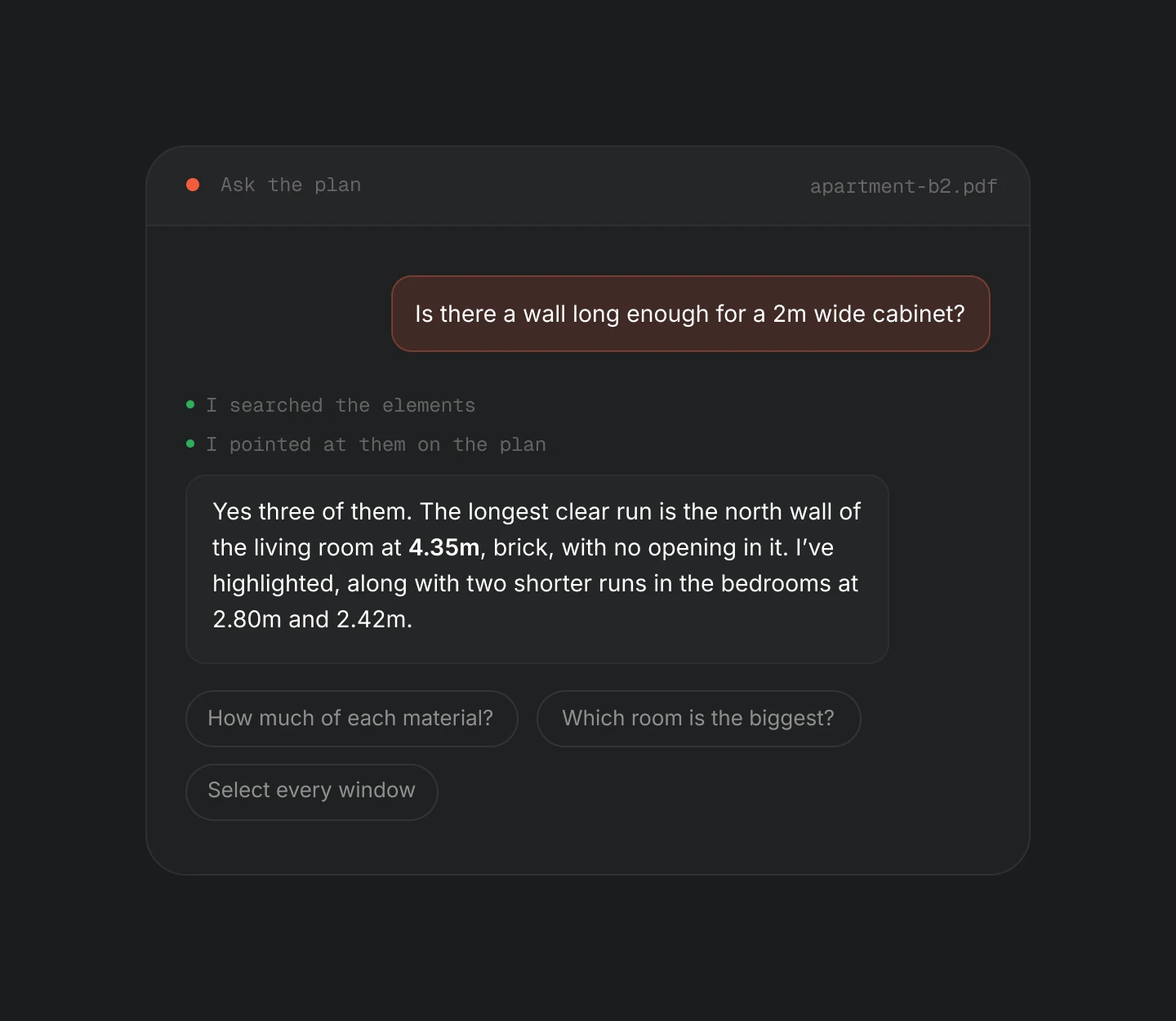
Find answers
Ask a question in English, German, French or Italian and see the answer directly on the floorplan. The assistant reads the actual geometry, highlights the relevant elements and selects them so you can act. If it proposes a new wall, you decide whether to approve it.
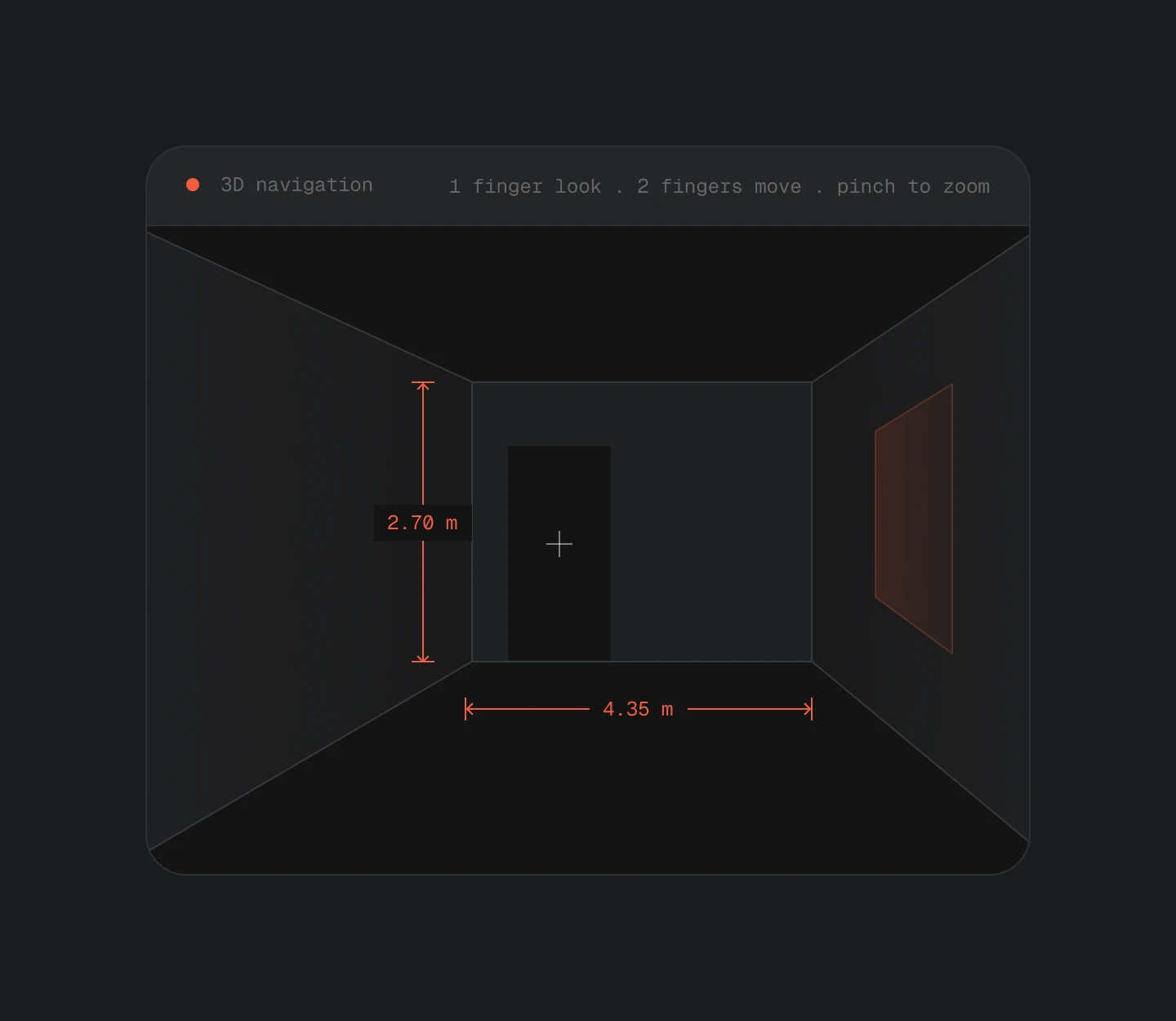
Verify the space
Enter the model at eye level and check views, heights and distances without returning to the site. Explore it with a mouse and keyboard or from a tablet on site, with measurements always within reach.
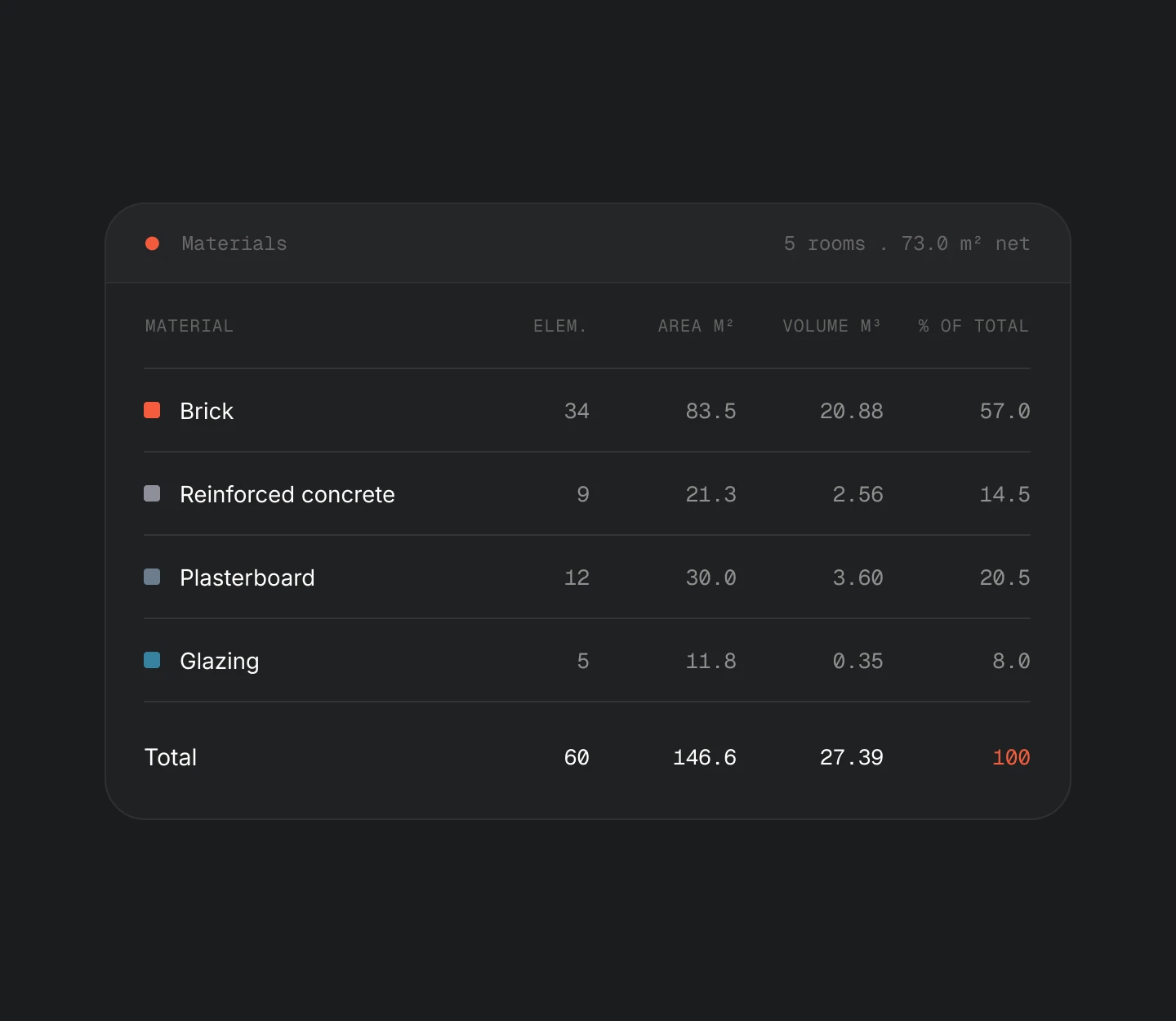
Quantify
Areas and volumes update as you correct the model, by material, room or whole building. DeepCAD suggests a material for each element, and you can change it across an entire selection. The BIM model can then be uploaded to AbaBau to prepare estimates and bids.
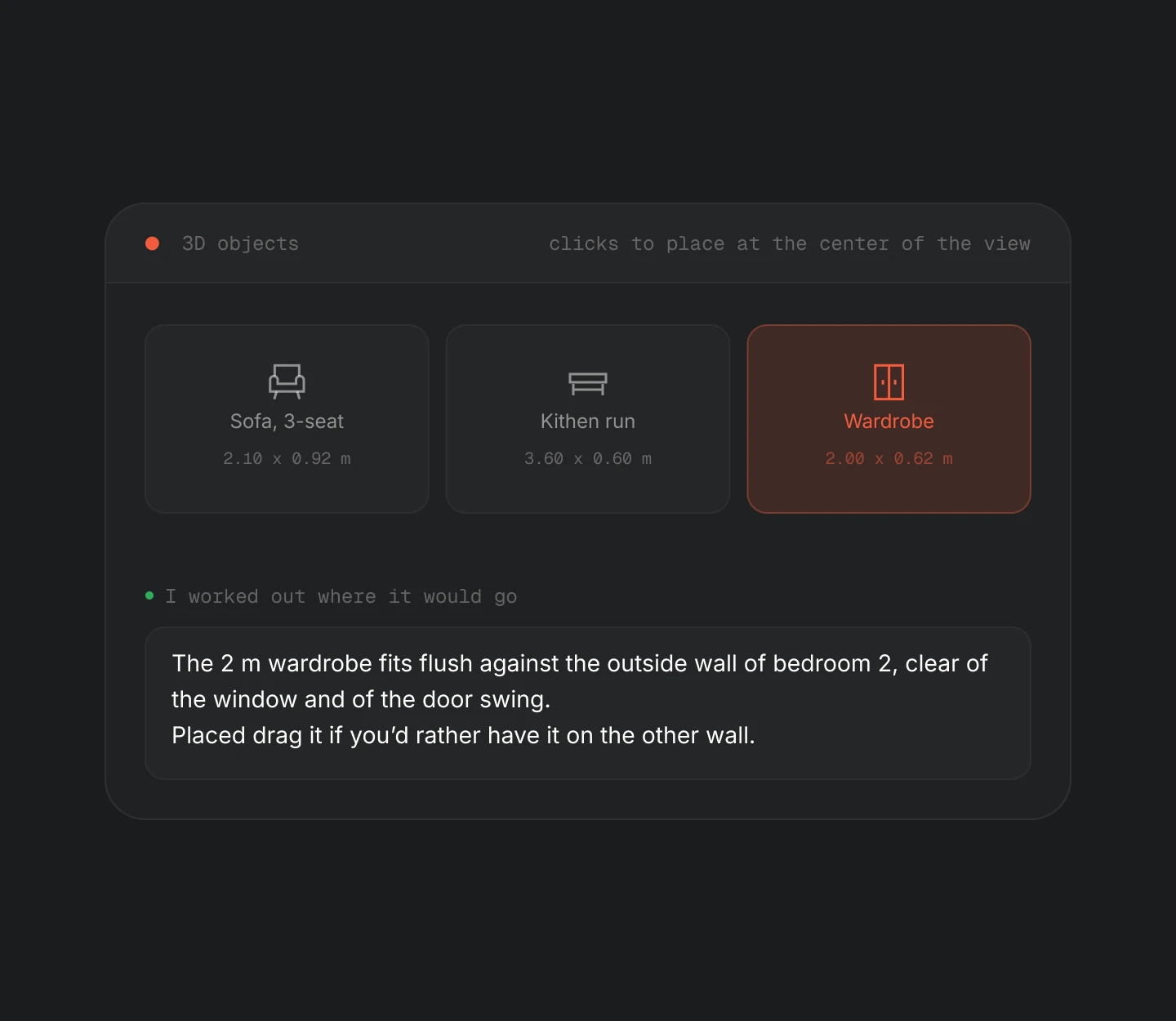
Reuse the model
Check furniture and clearances by dragging models from your library onto the floorplan or asking the assistant where to place them. Continue working in IFC, OBJ or STEP, or generate a model optimized for 3D printing.
Built for

Turn surveys, floorplans and scans into a measurable model of the existing building. Spend less time tracing and start designing from geometry you can verify.

Extract verifiable quantities from tender drawings, keep every assumption visible and bring the BIM model into AbaBau. Prepare estimates and bids with fewer manual steps and greater control.

Verify floor areas, document spaces and create navigable walkthroughs from the same drawing already on file. Assess and present properties from clearer information.

Turn old paper plans into measurable models of the existing building. Start the refurbishment from a reliable base without redrawing the building from scratch.

Query the model to locate plant rooms, calculate surfaces and check clearances or routes. Operational information becomes accessible without searching through drawings and archives.

Place your catalogue in the customer's actual room at its real dimensions. Check fit and configurations before ordering, and present a more tangible proposal.
Your data
Floorplans describe real buildings and may contain sensitive information. DeepCAD operates on ISO 27001:2022-certified Swiss infrastructure, under Swiss jurisdiction.
Processing and storage stay in Switzerland and outside the scope of the U.S. Cloud Act.
Nothing you upload is used to train models or improve projects other than your own.
Projects are private by default. A floorplan becomes public only when you choose to share it.
PDF, PNG and JPG — including photographs of a printed sheet and scans of old drawings. Multi-page PDFs let you choose the sheet to work on. You do not need a DWG, an IFC or any CAD source file.
From the dimensions already printed on the drawing. If the drawing does not carry any, you draw one length you know and everything else follows from it. Until then it will not show you an area — it says it cannot measure yet rather than inventing a number.
Accurate enough to skip the tracing, not accurate enough to skip the review. You see how sure DeepCAD was about each element, and anything it got wrong takes seconds to fix. The machine does the tedious pass; you do the judgement.
Yes. Architecture and building services from the IFC land in the same measured space as any other plan: you can quantify, navigate, furnish and ask the assistant about them. You can export the result as IFC, OBJ or STEP.
You walk the room with the DeepCAD scanner app on an iPhone or iPad with a LiDAR sensor. It captures walls, doors, windows, floors and furniture with their real dimensions and sends them straight into a project. From that moment it behaves like any other plan.
Not an authoring tool. BIM starts from a model; DeepCAD starts from whatever you actually have — a drawing, a room, a partial IFC — and produces a measured, navigable space from it.
An IFC, OBJ or STEP file for whatever you work in next, a printable solid checked against what your printer can hold at the scale you pick, and the quantities as data. The plan itself stays in DeepCAD as the source everything is rebuilt from.
It can read the plan, highlight elements, hand you a selection and work out where a wall or an object would go. Geometry it proposes appears as a proposal — it becomes part of the plan when you accept it, and not before.
They are stored in your project, on Swiss infrastructure, private to you and your organisation. They are never used to train models. A plan becomes publicly readable only if you deliberately publish it, and you can withdraw that at any time.
The interface and the assistant both work in English, German, French and Italian, and the assistant answers in the language you write in.


